Instagram Comments Exporter
Run, review, and troubleshoot Instagram post or Reel comment exports to CSV or XLSX.
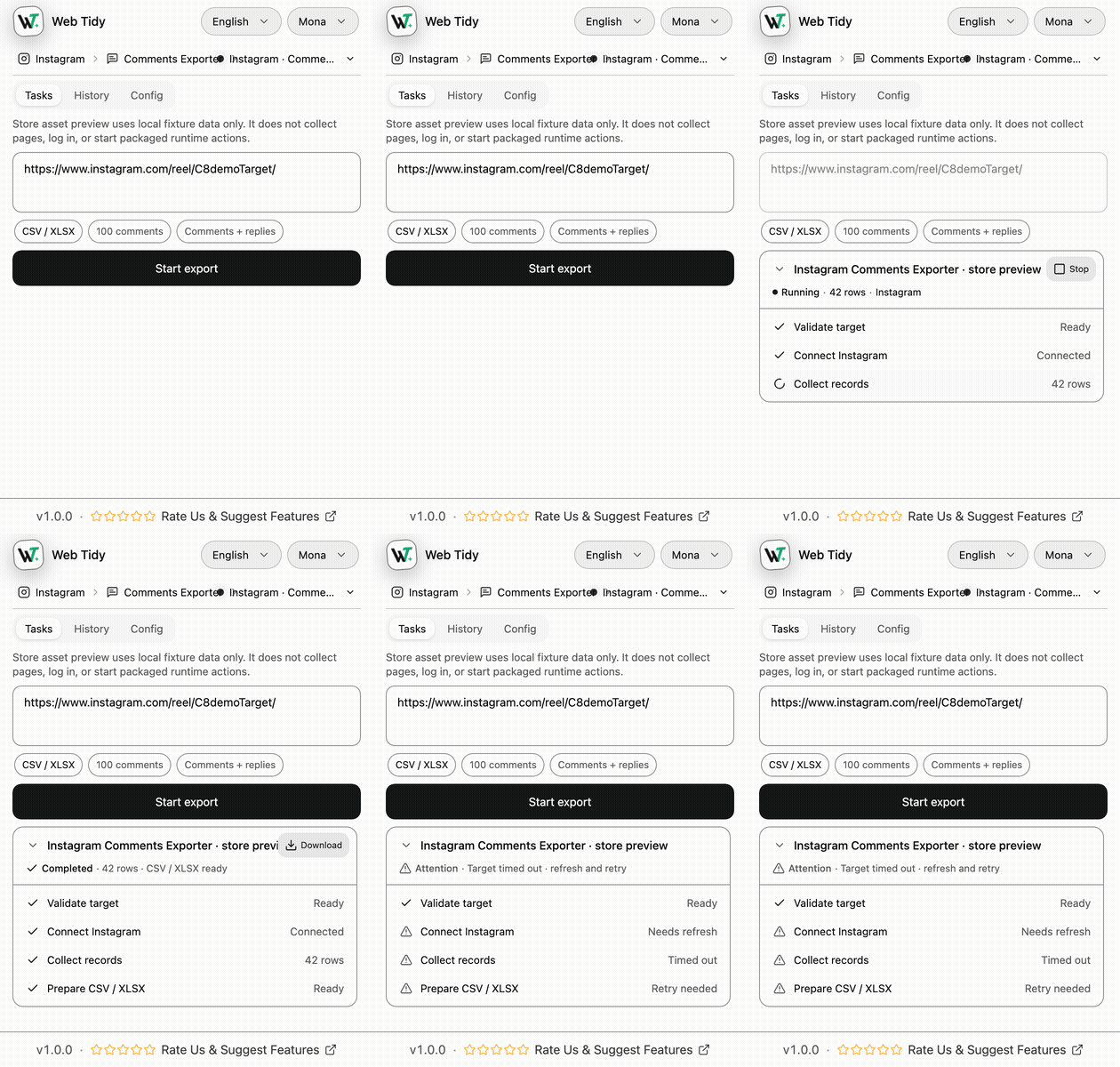
Synthetic fixture capture for UI review; it is not a real Instagram export.
Quick start
- Open a supported Instagram post, Reel, or TV URL and keep that tab open.
- Open Web Tidy → Comments Exporter.
- Choose Comments or Comments + replies, a row limit, pacing, and CSV or XLSX.
- Click Start export, follow the task state, and download the completed or partial file.
Confirm the source URL, comment scope, terminal state, row count, and parent IDs. A blank field means the supported source did not return that value.
1. Settings and task behavior
1.1 Run settings
Larger runtime limits are reserved for a pro entitlement; this page does not claim a public pro checkout or Store listing until those paths are released.
1.2 Controls and states
Pause clears the next scheduled action, Resume continues the same task, and Stop keeps confirmed rows as partial when any exist. Tasks move through idle, validating, running, paused, attention, stopping, partial, completed, or failed.
1.3 Reply boundary
Replies are collected only when the page exposes a supported reply source. If it is unavailable or changes, the task enters Attention and keeps confirmed rows instead of reporting false complete coverage.
2. Output and History
2.1 Field dictionary
CSV and XLSX use the same fixed 10-column order:
2.2 Files and History
Files are built locally; XLSX uses a Comments sheet. History keeps up to 20 recent terminal tasks and can download a stored completed or partial artifact again. The filename includes the source shortcode, row count, timestamp, and format.
3. Permissions and boundaries
3.1 Chrome permissions
The package does not request Chrome cookies or identity permission and does not ask for an Instagram password or cookie value.
3.2 Product boundary
The exporter does not like, reply, follow, message, run giveaways, analyze sentiment, download media, or bypass login, challenge, private content, rate limits, and unavailable sources.
4. Troubleshooting
5. Responsible use and support
Use exports only where platform terms, privacy obligations, anti-spam rules, and local law allow. The product is locally Store-ready, but current release evidence has no confirmed public Chrome Web Store URL.
6. Frequently asked questions
Is the extension available in the Chrome Web Store?
No verified Store item ID or URL exists yet. This page documents the locally Store-ready 1.0.0 package.
Can one task include replies?
Yes when the selected scope includes replies and the page exposes a supported reply source. Otherwise the task enters Attention and preserves confirmed top-level rows.
Does zero replies mean the thread has none?
No. Without a verified reply source, zero returned rows is not proof of complete reply coverage.
What is the current row limit?
The control lists 100 to 10,000 rows, but the current local free entitlement normalizes a run to 100. No public upgrade path is available.
Are CSV and XLSX fields identical?
Yes. Both are generated from the same ten-column writer order; XLSX uses a Comments worksheet.
Where are tasks and files stored?
Task state, rows, History, and local artifacts use extension storage. Explicit downloads go through Chrome Downloads.
What should I do with a partial file?
Keep its target, scope, terminal reason, and row count with the handoff. Do not label it complete.
Does Web Tidy need my Instagram password?
No. The package does not request Chrome cookies or identity permission and does not ask you to paste credentials.
For related details, see the product page, complete export guide, CSV/Excel and replies comparison, privacy policy, or contact Web Tidy.