Web Tidy · Chrome Web Store
Export followers and following from any Instagram account
100% Free, No Login; enter an Instagram profile, choose Followers or Following, then export a CSV or XLSX file for your own review.
Available from Chrome Web Store.
Quick Start
Your first export in three clear steps
Every instruction stays visible. Click a step to watch its matching walkthrough.
1. Install the extension
Looping walkthroughResult preview
A real, reviewable export schema
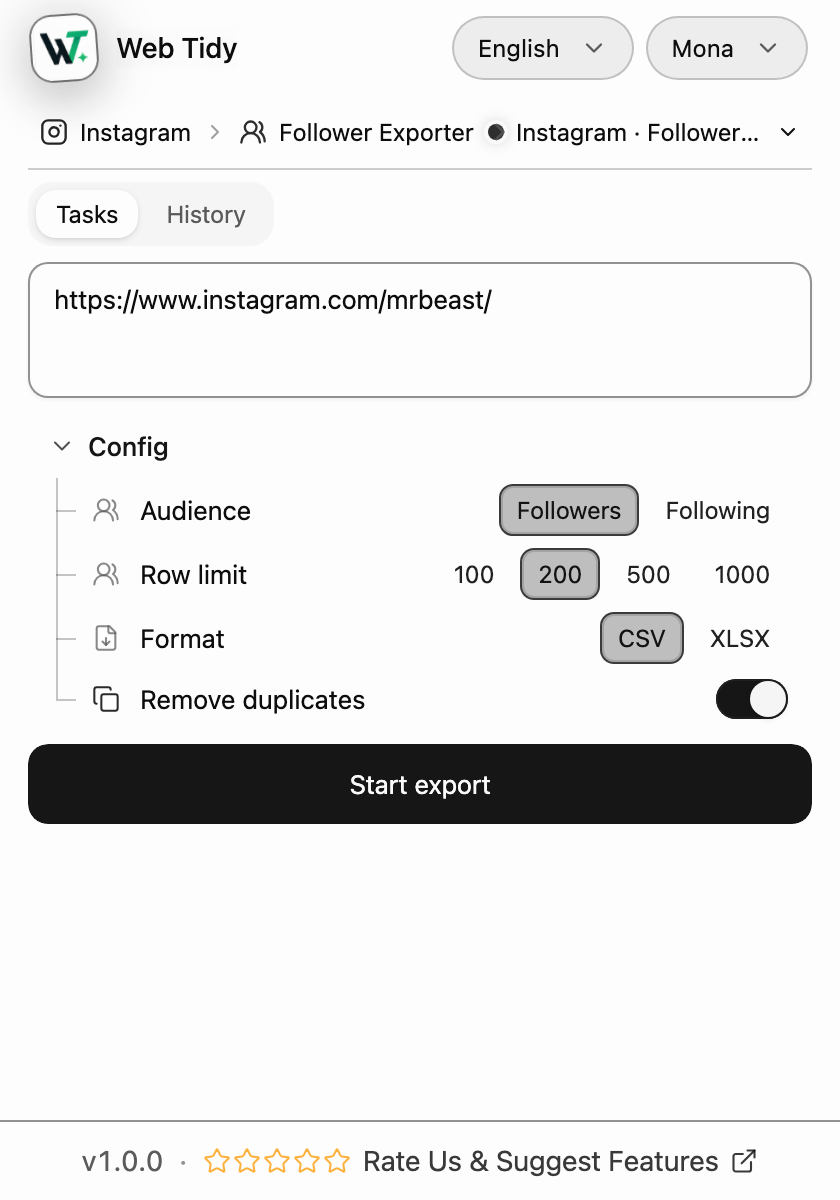
The web preview on the left renders the same interactive plugin console you get after installation. You can try the controls without starting a live collection. On the right, the file writer shows its 14-column output using 50 real follower rows exported from @mrbeast on August 15, 2026.
| id | pk | username | profileUrl | fullName | profilePicUrl | isVerified | followedByViewer | requestedByViewer | audience | sourceProfile | sourceProfileUrl | collectedAt | rowIndex |
|---|---|---|---|---|---|---|---|---|---|---|---|---|---|
| — | |||||||||||||
| — | |||||||||||||
| — | |||||||||||||
| — | — | — | |||||||||||
| — | — | ||||||||||||
| — | — | ||||||||||||
| — | — | ||||||||||||
| — | — | ||||||||||||
| — | — | ||||||||||||
| — | — |
1–10 / 50
Source: collected from instagram.com/mrbeast on August 15, 2026. The exported row order is preserved; long avatar URLs after row 3 are omitted from this page preview.
01 — Who it is for and why choose it
Who it is for
From account review to audience analysis
Account operators, content teams, and researchers can turn an accessible Followers or Following list into a CSV/XLSX with source, time, and profile links, then filter, compare, annotate, and hand it off in their own spreadsheet tools.
Account owners and creators
Save a Followers or Following list before and after a campaign, collaboration, or content release. CSV/XLSX keeps profile links, display names, and collection time available for later review.
Social and content teams
Turn the currently visible audience of one profile into a structured handoff for content, growth, or brand teammates. Source profile, audience direction, and export time stay attached to the rows.
Audience researchers
Build a repeatable input from account ids, usernames, profile URLs, and relationship flags. Merge, deduplicate, or sample by stable fields instead of relying on a changing page interface.
Agency and operations handoffs
Save an explicit export by client, project, or date, then hand the CSV/XLSX to an authorized teammate. Original row order and source fields make the review trail easier to follow.
Community and membership operators
Review current follower and following relationships within the access you already have. Group, annotate, and manually check community members, collaborators, or accounts that need another look.
Spreadsheet and data workflow users
Export Followers and Following separately, or keep dated snapshots of the same list. Then calculate differences and label added or missing rows in Excel, Numbers, or Google Sheets.
Post-export analysis
Turn exports into three useful lists
Bring Followers, Following, or dated exports into Excel, Numbers, Google Sheets, or another spreadsheet tool to organize accounts and relationship changes worth reviewing.
Following
See what people you care about are following
Export a target profile's Following list, then filter and review the accounts by username, profile link, or display name.
Following − Followers
Accounts you follow that do not follow back
Export Following and Followers for the same profile and match by id first; use username cautiously when an id is missing.
Followers − Following
Accounts following you that you do not follow back
Reverse the same comparison to produce a list you can group, annotate, or review manually.
Tool comparison
Choose by workflow first
Compare Chrome extensions, web tools, official exports, and APIs by price, access model, output, and best-fit workflow to find the Instagram follower export path that suits you.
Competitor facts come from public first-party pages checked August 9, 2026; see the comparison article for complete sources and disclosure.
02 — How it works and task control
Export in one browser workflow
Install and pin Web Tidy from Chrome Web Store, then open an Instagram profile to begin.
01
Install from Chrome Web Store
After installation, open Chrome's Extensions menu and pin Web Tidy to the browser toolbar.
- Chrome Web Store install
- Pinned to the toolbar
- Open it when needed
Run boundaries
Stay in control from start to review
Account protection
Keep every export bounded and interruptible
Every run has a selected list, a confirmed-row ceiling, deduplication, and pause, resume, or stop controls. Login, challenge, rate-limit, and unavailable-target outcomes stop continuation instead of becoming an open-ended loop.
Four confirmed-row ceilings
Choose 100, 200, 500, or 1,000 before Start. Collection stops at that confirmed-row ceiling instead of silently expanding the scope.
Account-id deduplication by default
Duplicate exported account ids are removed within the current task before rows are written. Turning deduplication off is an explicit user choice.
Seven visible task phases
See validating, running, paused, stopping, completed, partial, or failed, together with discovered, confirmed, and error counts.
User-triggered pause, resume, and stop
Pause prevents the next page from starting; only your command resumes it. Stop ends the task and keeps already confirmed rows for review.
Four platform outcomes stop continuation
Login, verification or challenge, rate-limit, and unavailable-profile outcomes move the task to Attention, partial, or failed instead of continuing blindly.
At most three transient request attempts
Attention states such as rate limits do not auto-run again. Only transient network or 5xx requests have a bounded retry path; after the third failed attempt, the task stops and a new run is your choice.
Interactive field showcase
Know what a row can contain
Explore the output fields before you decide whether the result is useful for your own spreadsheet workflow.
Identity
Identifiers and account names
- id
- Account identifier available to the exporter.
- pk
- Platform primary key when present in the response.
- username
- Instagram account username.
- fullName
- Display name when available.
- profileUrl
- Account profile URL for review.
03 — Keep reading and get help
Keep reading
Continue with the install, guide, or comparison
The product page now carries setup, fields, permissions, task states, and boundaries. Blog articles continue the scenario-specific workflows.
05
User Story
Export workflow
I save Instagram follower lists for different campaigns each month. I can define Followers, the row limit, and XLSX before the run, then watch the task finish. When I hand the file to a teammate, the source profile, collection time, and account links travel with it.
Emily Carter
Social Media Manager
Access and control
A huge export claim matters less to me than clear boundaries. I do not create a Web Tidy account or paste my Instagram password. If login, verification, or access limits interrupt the task, it enters Attention and keeps confirmed results available for review.
Daniel Brooks
Independent Store Owner
Spreadsheet cleanup
I can place two dated exports of the same profile into a spreadsheet and compare username and profileUrl to find added or missing accounts. The tool does not decide whether someone unfollowed; it gives me the source lists needed to investigate the change.
Sofia Martinez
Operations Analyst
Frequently asked questions
Installation, access, fields, limits, account protection, permissions, storage, troubleshooting, and product boundaries.