Content teams
Turn one post's top-level comments into a sheet for manual issue, feedback, and content tagging.
Web Tidy · Chrome Web Store review in progress
Start from one /p/ post available to your current browser session, choose rows, request pace, and format, then run a local export you can pause, resume, and revisit.
The extension has been submitted for Chrome Web Store review; public installation depends on approval.
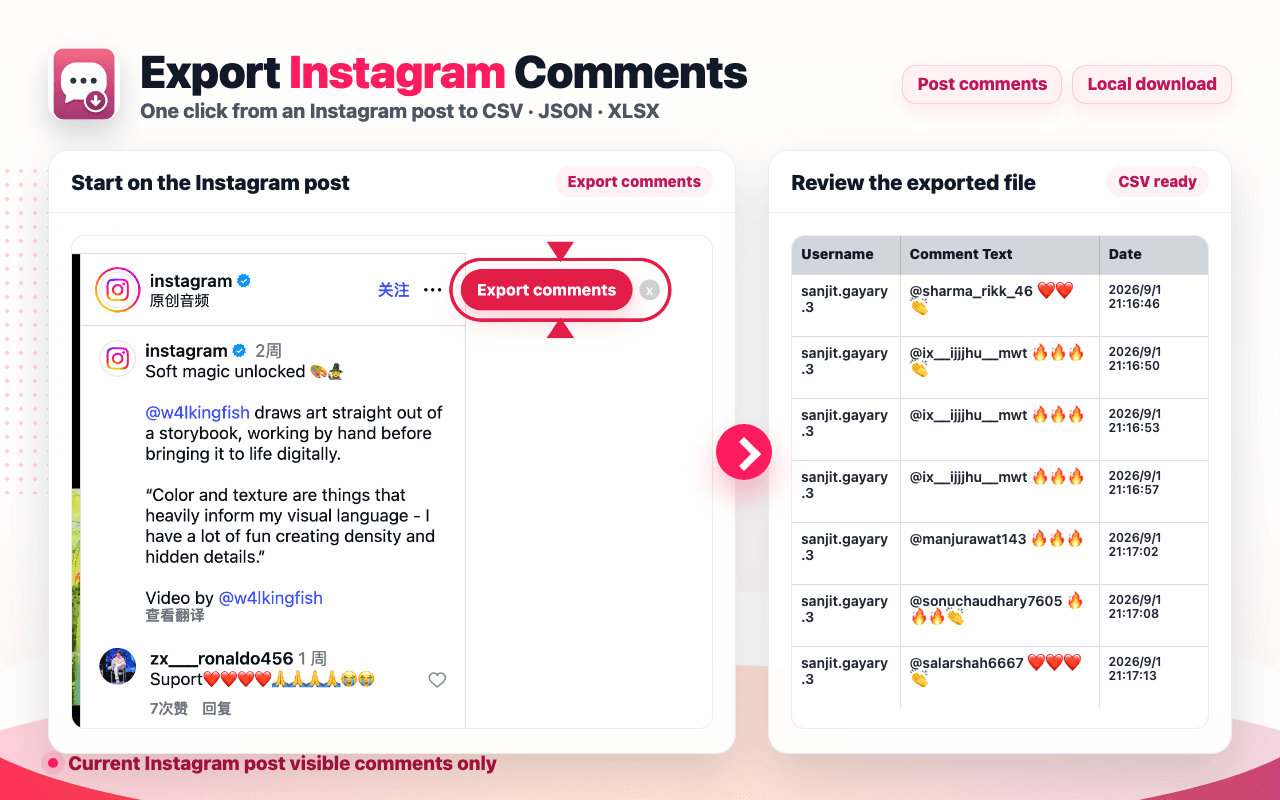
Result preview
The left side uses the current extension preview; the table follows the real eight-column writer. Both rows are clearly labeled examples, not live Instagram results.
| User Id | Username | Comment Id | Comment Text | Profile URL | Profile Pic URL | Date | Like Count |
|---|---|---|---|---|---|---|---|
| — | |||||||
| — |
1–2 / 2
Field source: eight fields and usage guide. The sample explains fields and layout; it does not prove a post's comments or result count.
01 — Quick Start
Every instruction stays visible; public installation still depends on Chrome Web Store approval.
01
The public listing is still in review. Once approved, choose Add to Chrome and confirm Add extension. Readers who already have the extension can skip this step.
Current release state
Submitted for review, not publicly installable
02 — Who it is for and how to choose
Who it is for
The exporter saves reviewable top-level comment rows; categorization, conclusions, and follow-up stay in your own tools.
Turn one post's top-level comments into a sheet for manual issue, feedback, and content tagging.
Save the comments available from one campaign post at a known point in time.
Pass comment text and source identifiers into an existing spreadsheet, script, or AI workflow.
Deliver reviewable CSV, JSON, or XLSX rows instead of relying on screenshots.
Pause, resume, or stop serial page collection while keeping confirmed partial rows.
Download retained results again from local History instead of collecting them again.
Choose a tool
Web Tidy focuses on top-level comments from one current post. Choose another route when you need a hosted form, multiple URLs, replies, or schedules.
Competitor access, quotas, and pricing were spot-checked against official pages on September 8, 2026; confirm the current screen before choosing.
03 — Features, fields, and recovery
Current capability
This release does not include replies, Reels, or multi-link batches; those boundaries and interruption states remain explicit.
One task binds to one /p/ post and handles visible top-level comments available to the current session.
Use CSV for interchange, XLSX for office spreadsheets, or JSON for scripts and downstream systems.
Choose the row ceiling and page-request wait separately; settings stay fixed during the run.
Cursor, dedupe keys, and confirmed rows stay local so the same task can continue.
Login, verification, challenge, rate limits, empty pages, or stalled cursors do not become a fake completion.
Review terminal tasks and download retained results again from History.
Output fields
Values come from the current Instagram response; unavailable values remain blank.
Author
04 — Selection, help, and FAQ
Keep reading
Each page answers one question: this page explains the product, How-to completes the task, and Best helps choose a tool.
Use the result
Product feedback
Add Topic and Next action columns in a copy while keeping the original Comment Text, Comment Id, and post source unchanged.
Example: Content team
Workflow example, not a testimonial
Campaign review
Sort by Date, then keep comment count separate from unique participant count instead of deleting original rows by username.
Example: Operations
Workflow example, not a testimonial
Data handoff
Keep the original file, then pass a CSV, JSON, or XLSX copy into an existing spreadsheet, script, or AI workflow.
Example: Research team
Workflow example, not a testimonial
Installation status, scope, rows, formats, recovery, permissions, and local data.